I’m building a UXP plugin for Premiere Pro (v25.6.x) to create a clean copy of a sequence with stems.
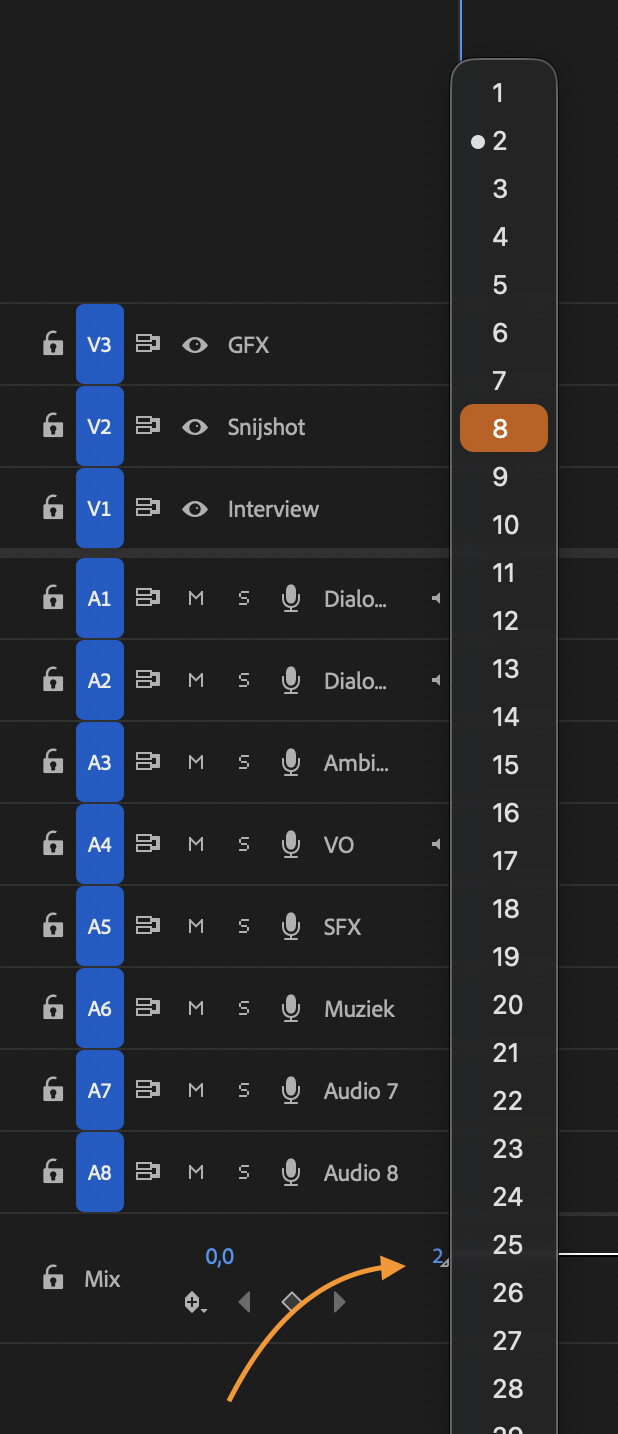
Is there any UXP DOM/API to change a sequence’s Master/Mix output channel count from 2 (multichannel) to 8 (multichannel) programmatically See image.
If it’s not possible: what’s the recommended workaround in UXP? I haven’t been succesfull witj copy/pasting all content from a 2 channel sequence to and 8 channel one via UXP.
Thanks, Joost or run a command/action)?
While you can definitely change a projectItem’s audio channel interpretation, I don’t know that there’s ever been a way to change a sequence’s output mapping.
Too bad. I have a hard time making a “button” that converts a stereo sequence to a 8 track one, to automatically export 8 channel audio as per a “CLEAN” workflow of a client. Currently, the video editor needs to add a new sequence (called “8 channel clean”, form the presets). Then copy paste his “dirty” sequence into this “clean” one and then export it using the correct .epr.
This should be a one-button function, but, Select All, Copy & paste does not seem to work with UXP (RTFM me please if I’m missing the obvious). Duplicating the sequence with UXP works, but now this means the video editor still needs to change the 2 channel to 8 channel manually.