Premiere Pro UXP: createCloneTrackItemAction with isInsert=true collapses the following audio clip to zero duration
Environment
- Windows 11
- Premiere Pro 26.3.2
- UXP Developer Tool 2.2.1
- Premiere Pro UXP API
- Test plugin: Golf AI Bridge v0.14.22
Severity
Critical data-loss issue. An existing audio TrackItem is collapsed to zero duration and effectively disappears from the timeline.
API involved
SequenceEditor.createCloneTrackItemAction(
  audioTrackItem,
  timeOffset,
  0,
  0,
  false, // alignToVideo
  true   // isInsert
)
The Action is added to a transaction and executed through Project.executeTransaction() while the project is accessed through Project.lockedAccess().
Minimal reproduction
- Create a new sequence.
- Place two adjacent video/audio clip pairs with no gap or transition:
- Clip 070:
00:00:00.00to00:04:17.46 - Clip 071:
00:04:17.46to00:06:07.47
- Clip 070:
- Ensure that V1 and A1 have identical clip boundaries.
- Do not add split clips, transitions, overlays, or additional tracks.
- Clone the video TrackItem for 070 at the start position of 071 using
createCloneTrackItemAction(..., isInsert=true). - Re-read the current audio TrackItems and calculate the audio offset in integer ticks.
- Clone the matching audio TrackItem for 070 at the start position of the 071 audio TrackItem using
createCloneTrackItemAction(..., alignToVideo=false, isInsert=true). - Inspect the existing 071 audio TrackItem.
Expected result
The 071 audio TrackItem should ripple forward by the duration of the inserted 070 audio TrackItem, matching the successful ripple behavior on V1. Its source range and duration should remain unchanged.
Actual result
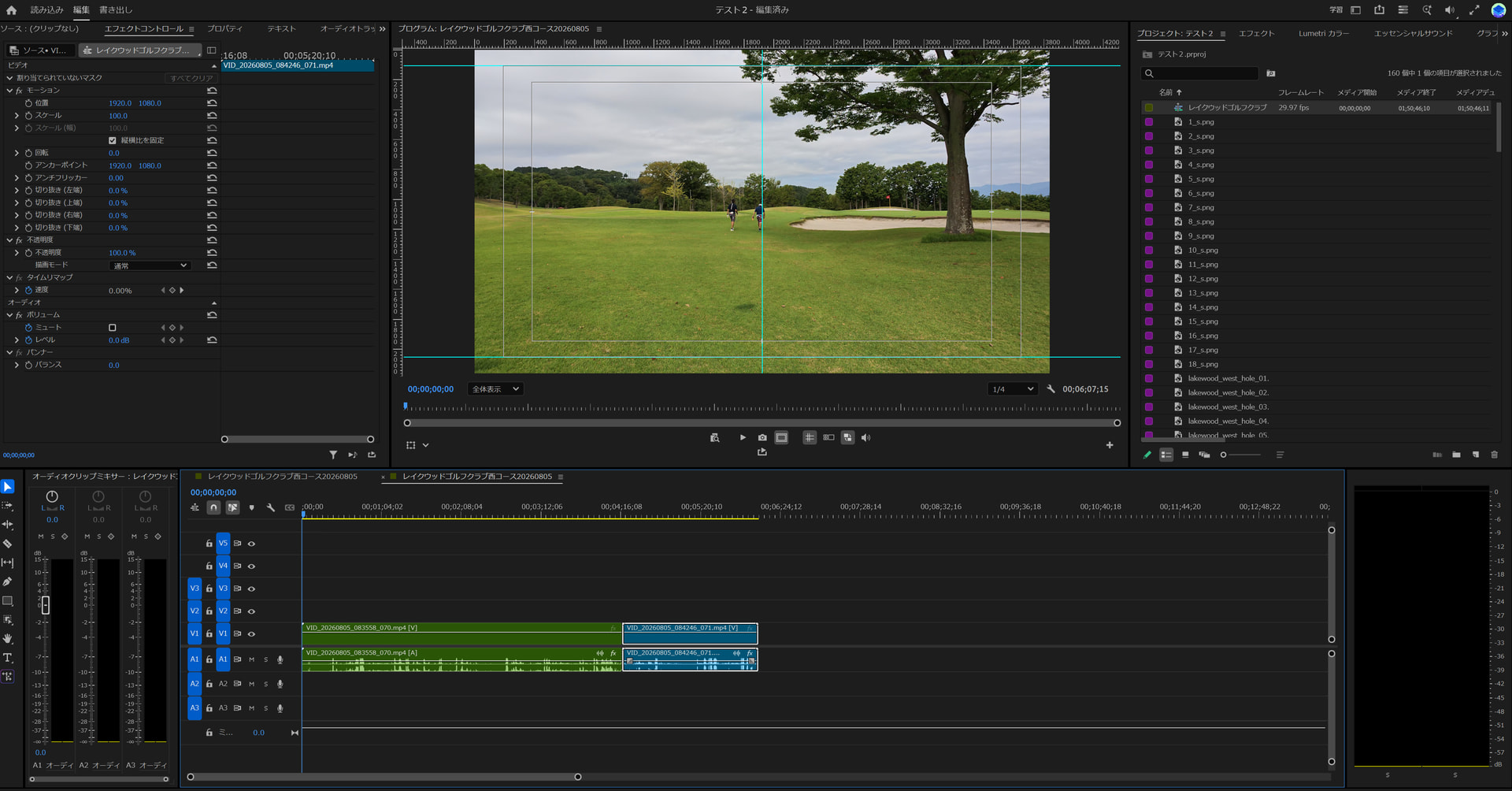
- The 071 video TrackItem ripples forward correctly by the duration of 070.
- The 071 audio TrackItem does not ripple forward.
- Its start and end become identical:
00:04:17.46to00:04:17.46. - Its duration becomes zero.
- Approximately 1 minute 50 seconds of existing 071 audio is therefore missing from the timeline.
- The operation returns successfully; no exception indicates that an existing clip was destroyed.
- Ctrl+Z restores the timeline.
This reproduces in a clean two-clip sequence with no trajectory replacement footage, split pieces, transitions, pre-existing A/V drift, or complex timeline structure.
Impact
createCloneTrackItemAction(..., isInsert=true) is unsafe for programmatic audio reordering under this reproducible condition because an adjacent existing audio clip can be silently collapsed to zero duration.
Our plugin features that use this audio operation have been disabled to prevent timeline damage.
Questions
- Is this a known issue in Premiere Pro 26.3.2?
- Is there a required usage pattern for safely inserting cloned
AudioClipTrackItemobjects? - Should
alignToVideoor another parameter be used differently for audio TrackItems? - Is there a supported way to clone linked video and audio as one ripple-insert editing unit?
The forum currently prevents this new account from uploading ZIP/code attachments. Before/after screenshots and diagnostic logs are included below. I can provide the minimal test project and full reproduction code upon request.
Images below: direct verification log, zero-duration timeline analysis, timeline after the operation, and timeline before the operation.