I cannot for the life of me get a resizable text area to work with Spectrum Web Components and UXP for Premiere Pro.
The example on this page shows a text box that can be resized with a handle in the bottom right hand corner, as well as scroll bars: Textarea: Spectrum Web Components
I have tried to implement that as follows:
<!DOCTYPE html>

<html>

<head>

<meta charset="UTF-8">

<style>

body {

margin: 16px;

font-family: adobe-clean, sans-serif;

color: white;

    }

sp-theme {

display: block;

    }

sp-field-label {

color: white !important;

    }

sp-help-text {

color: white !important;

    }

sp-textfield {

width: 100%;

    }

</style>

</head>

<body>

<sp-theme theme="spectrum" color="dark" scale="medium">

<h2>Resizable Textarea Test</h2>

<!-- Resizable Textarea -->

<sp-field-label for="story-0">Background</sp-field-label>

<sp-textfield

id="story-0"

multiline

rows="5"

placeholder="Enter your life story - drag bottom-right corner to resize">

<sp-help-text slot="help-text">Press Enter for new lines. Drag corner to resize.</sp-help-text>

</sp-textfield>

</sp-theme>


<script type="module">

// Import Spectrum Web Components

import '@spectrum-web-components/theme/sp-theme.js';

import '@spectrum-web-components/theme/src/themes.js';

import '@spectrum-web-components/textfield/sp-textfield.js';

import '@spectrum-web-components/field-label/sp-field-label.js';

import '@spectrum-web-components/help-text/sp-help-text.js';

// Wait for components to be defined

await Promise.all([

customElements.whenDefined('sp-theme'),

customElements.whenDefined('sp-textfield'),

customElements.whenDefined('sp-field-label'),

customElements.whenDefined('sp-help-text')

    ]);

console.log('All Spectrum components loaded');

const storyField = document.getElementById('story-0');

storyField.addEventListener('input', (e) => {

console.log('Value changed:', e.target.value);

    });

// Check if multiline is working

console.log('Multiline attribute:', storyField.hasAttribute('multiline'));

console.log('Rows:', storyField.getAttribute('rows'));

</script>

</body>

</html>
But it just appears as a single line text field with no multiline functionality
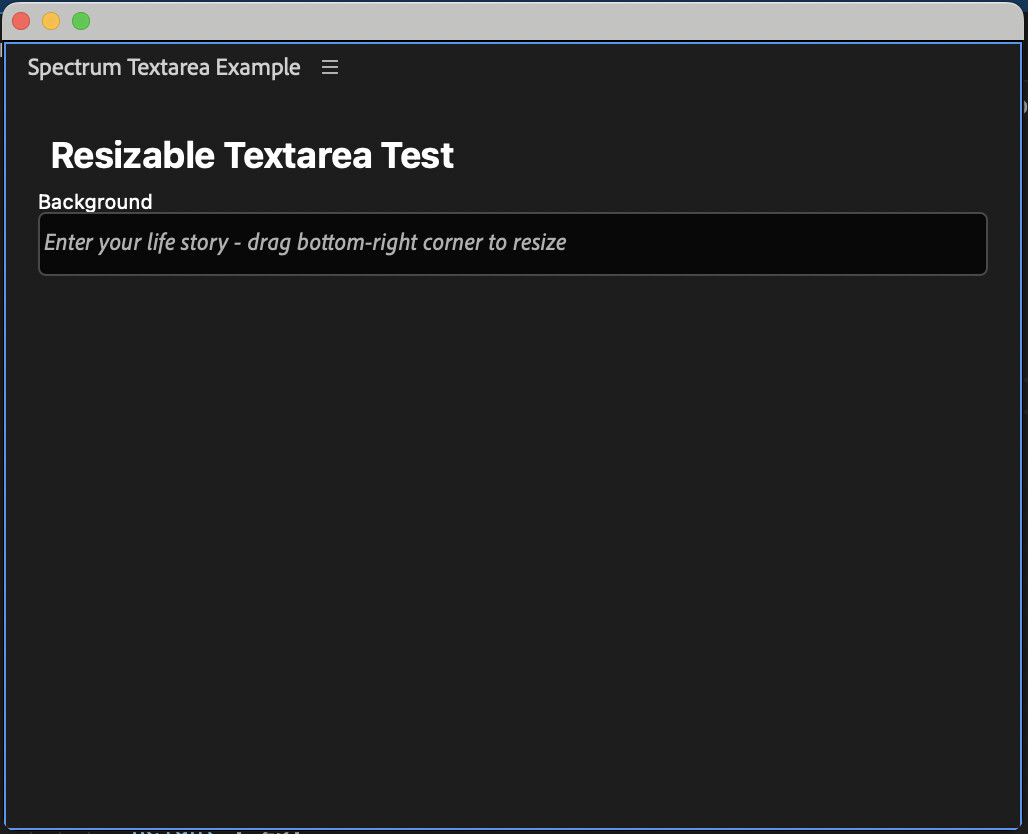
Looking at it it doesn’t look like the labels are working properly either.
I have used npm install to make sure the dependencies are there, see image: Imgur: The magic of the Internet
I have been at this for several days and can’t seem to figure this out. I would love some help on figuring out how to get SWC to work.