I am developing a Photoshop UXP plugin designed for high-volume photography (wedding/events). My core objective is to fully automate AI-based masking and adjustments without requiring the user to manually open the Camera Raw UI.
1. Failed Attempt: Dynamic Camera Raw Masking
I have attempted to trigger Camera Raw’s new AI-powered selection tools (e.g., “People → Teeth Whitening,” “Select Eye Whites”) via UXP/Action/Descriptor APIs.
Method Used: I applied AI masking to an initial photo, recorded the resulting operation using an Action or UXP Descriptor, and then attempted to apply it to a new photo.
The Problem: The recorded Action/Descriptor does not trigger a new AI analysis on the subsequent image. Instead, it only retains the old mask coordinates and data (the BigT data) and applies it to the exact same pixel location on the new photo. Dynamic AI recalculation does not occur.
Conclusion: This renders the method unusable for automation, as face/teeth locations vary significantly across different images.
2. Request for Expert Guidance: UXP and Local AI Strategy
I need guidance on the most viable strategy to achieve this automation goal.
A. UXP Internal Path (Preferred): Beyond the failed Action/Descriptor method, is there a specific UXP method, a hidden Action command, or a viable workaround that can force a dynamic re-trigger/recalculation of Camera Raw’s AI masking when a new image is loaded? My goal is to leverage Photoshop/Camera Raw’s native AI capabilities if possible.
B. External (Local) AI Path: If UXP cannot trigger dynamic AI analysis, I must integrate my own AI solution.
Local AI Model Recommendation: Which external image segmentation model (e.g., one optimized for face/teeth/eyes) is best suited for this task and is fast and lightweight enough to run locally (without relying on a server) or tightly integrated with the UXP environment? (This includes strategies for integrating a Python-based model with UXP).
Data Transfer Strategy: What is the most efficient and fastest communication strategy for receiving the mask data (e.g., an alpha channel or segmentation map) from this external model and applying it back within the UXP plugin as a local adjustment mask in Camera Raw?
I am looking for the most sustainable and performant path to achieve true, fully automated, AI-driven retouching. Thank you in advance for your expert insights!
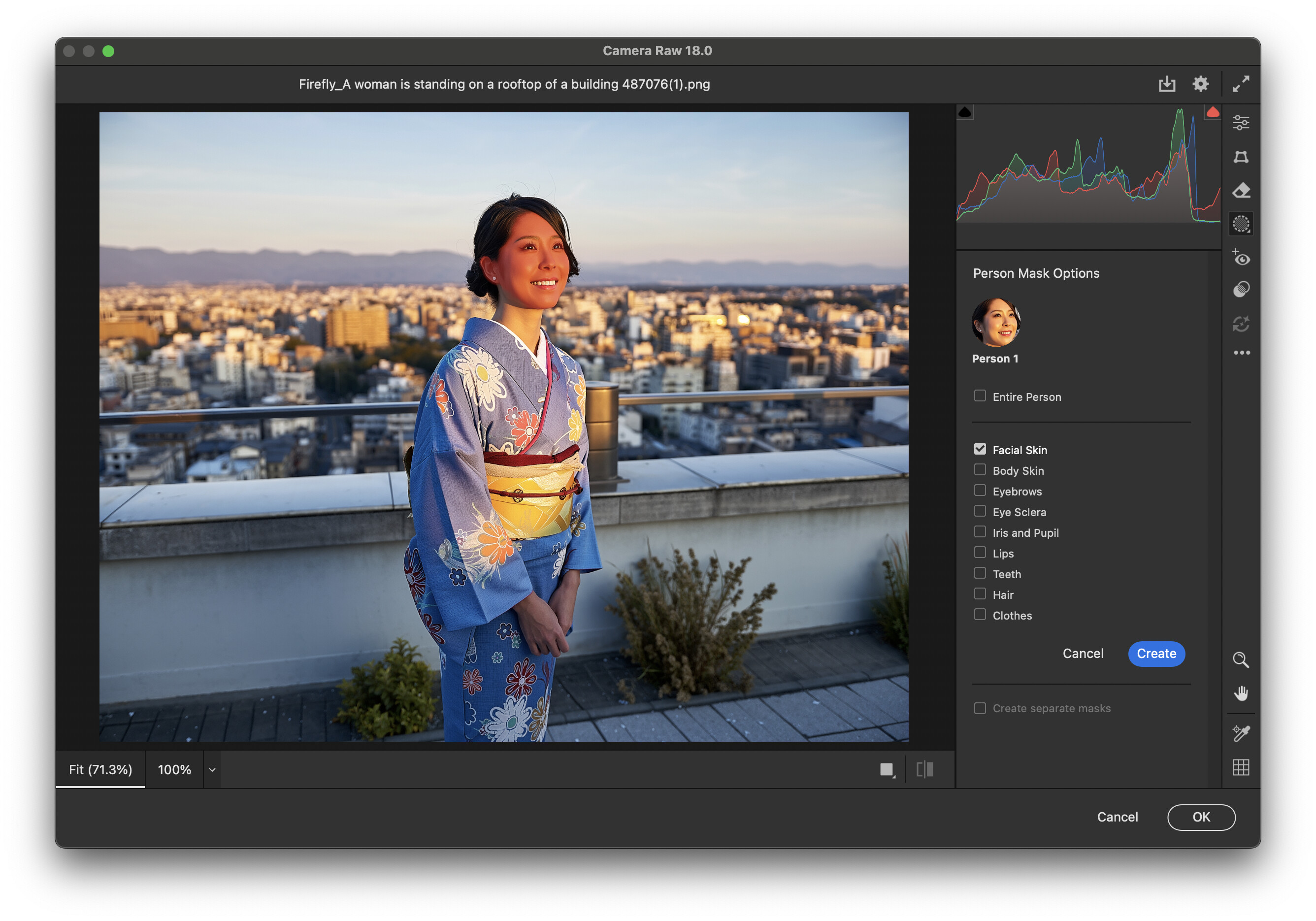
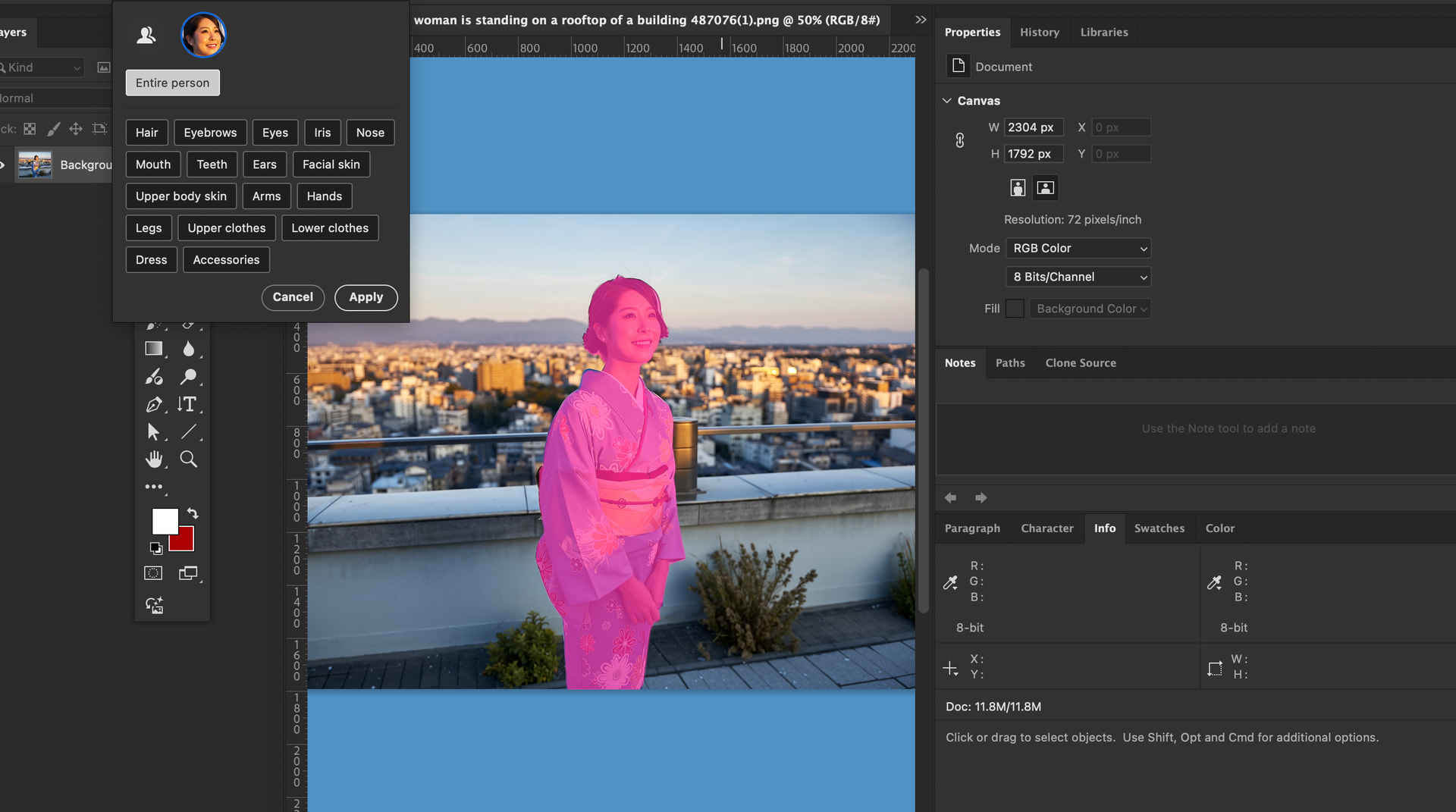
Regarding the AI-powered selection tools, I think you’re referring to the Person Mask Options shown in the screenshot. The Object Selection Tool has the same functionality in Photoshop. When you choose the Object Selection Tool and click the Select People button on the top bar, the function analyses human face, such as eyes, hair, and teeth so on as Camera Raw’s AI analyses.
UXP Descriptors and action recordings also detect the function and also both of them initialise mask data and analyse people in an open image.
It’s a new feature, so If I remember correctly, it’s only available from roughly Photoshop 26.8 or later. While it works in 2025, in Photoshop 27.0, it tends to get stuck during the initial detection when triggered through either an action or a UXP script. I suppose it’s a bug in the new version.
Thanks to you, I was able to take a step forward. However, I can’t select and update the object selection tool at all. When I manually select the tool, it updates after closing and reopening the photo. This is how it works. However, when I select UXP, it unfortunately hangs. How can I overcome this?
Indeed, UXP doesn’t detect and obtain tags, like how many people in a document or which parts of face are available as clicking the “Select people“ button does.
So in my case, I use detecting selection function and check tags available or not.
For instance, counting the number of people, I repeat it until the batchPlay not detecting any selection.
async function faceDetector(
	peopleIndex:number,
	faceIndex:number
) {
	const result = await batchPlay(
		[
			{
				_obj: "selectPeopleV2",
				selectAllPeople: false,
				people: [
					peopleIndex
				],
				tagsV2: [
				],
				tagsIndices: [
					faceIndex
				],
				_options: {
					dialogOptions: "dontDisplay"
				}
			}
		],
		{}
	);

	const pinned = result[0];
}

function hasSelection ():boolean {
 const selection = app.activeDocument.selection;
 return selection.bounds !== null;
}

/**


@param peopeIndex

@returns
*/
const isAnyPerson = async (peopelIndex:number):Promise => {
  await faceDetector(peopelIndex, 0);// analysing the document index of person is available or nor
  const flag = hasSelection();// any selection detected, still uncounted person in the document
  await app.activeDocument.selection.deselect();
  return flag;
};

/**

counting the number of people in a document

@returns
*/
const countingNumberOfPeople = async ():Promise => {
  let count = 1; // index starts from 1
  while (await isAnyPerson(count)) {
    count++;
  }
  return count;// returning the number of people
};
Of course It is not clever way at all and tends to be complicated, but for now
I think there’s no way to detect available tags in the document.
Just manually check each tag through the methods.